SMS Verification Consent Flow
Public reference page documenting Payfair’s in-app opt-in flow for one-time SMS verification codes. Last updated: April 20, 2026.
Purpose of this page
This page documents the exact in-app flow by which users of the Payfair mobile app (Android and iOS) consent to receive a one-time SMS verification code. It exists to satisfy carrier and aggregator (Twilio / The Campaign Registry) requirements for publicly-verifiable opt-in evidence on an A2P 10DLC Two-Factor Authentication campaign operated by SSD Technologies LLC.
Program summary
- Program: Payfair Account Verification (2FA).
- Brand / operator: SSD Technologies LLC (registered A2P 10DLC Brand).
- Purpose: One-time passcode (OTP) delivery for account sign-up and sign-in.
- Volume: One SMS per user-initiated sign-up, sign-in, or “Resend Code” request. Not recurring.
- Marketing: None. No marketing, promotional, or newsletter messages are ever sent on this campaign.
- Content template:
“{code} is your Payfair verification code. It expires in 10 minutes. Don’t share this code.” - Embedded links: None.
- HELP: Reply HELP to any message, or email hi@payfair.cash.
- STOP: Reply STOP to any message at any time (handled by Twilio Advanced Opt-Out).
- Rates: Message and data rates may apply. Payfair does not charge; your mobile carrier may.
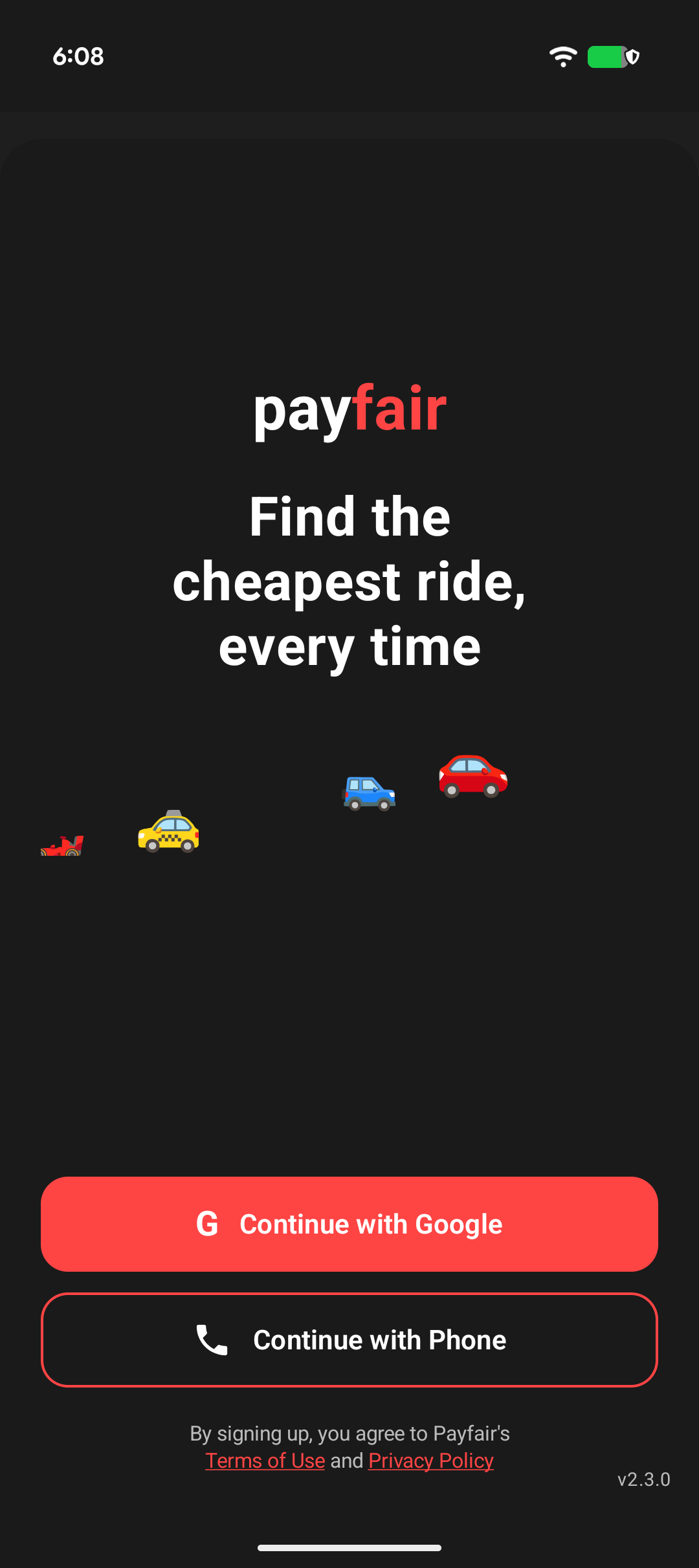
Step 1 — Landing screen & consent anchor
The user opens the Payfair mobile app and reaches the sign-in landing screen, showing two sign-in options: “Continue with Google” and “Continue with Phone”. Directly below the buttons the screen displays the consent disclosure: “By signing up, you agree to Payfair’s Terms of Use and Privacy Policy” — with both Terms of Use and Privacy Policy rendered as tappable links to payfair.cash/terms/ and payfair.cash/privacy/.
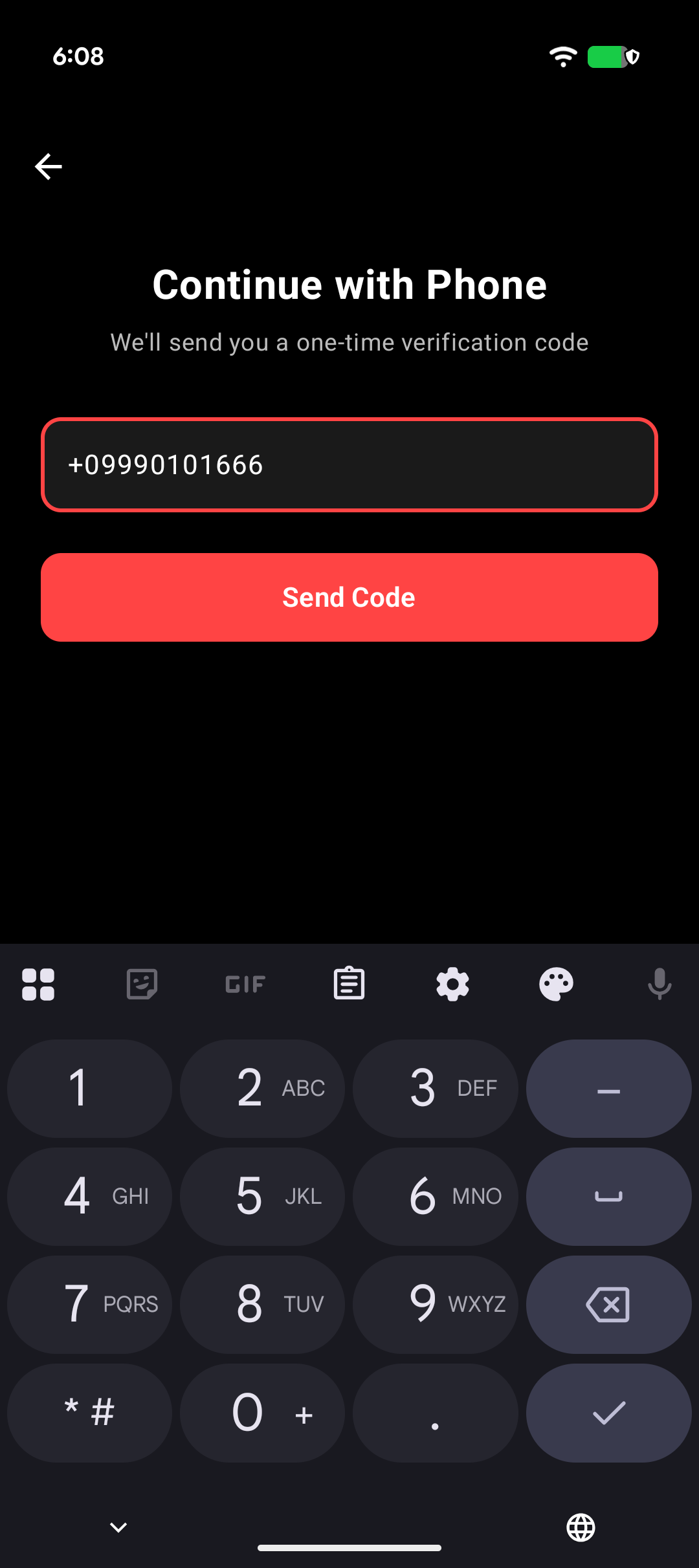
Step 2 — Phone entry & explicit SMS trigger
The user taps “Continue with Phone”. The next screen is titled “Continue with Phone” with the subtitle “We’ll send you a one-time verification code.” The user enters their own phone number and taps “Send Code”. This tap is the explicit, user-initiated action that triggers the single SMS.
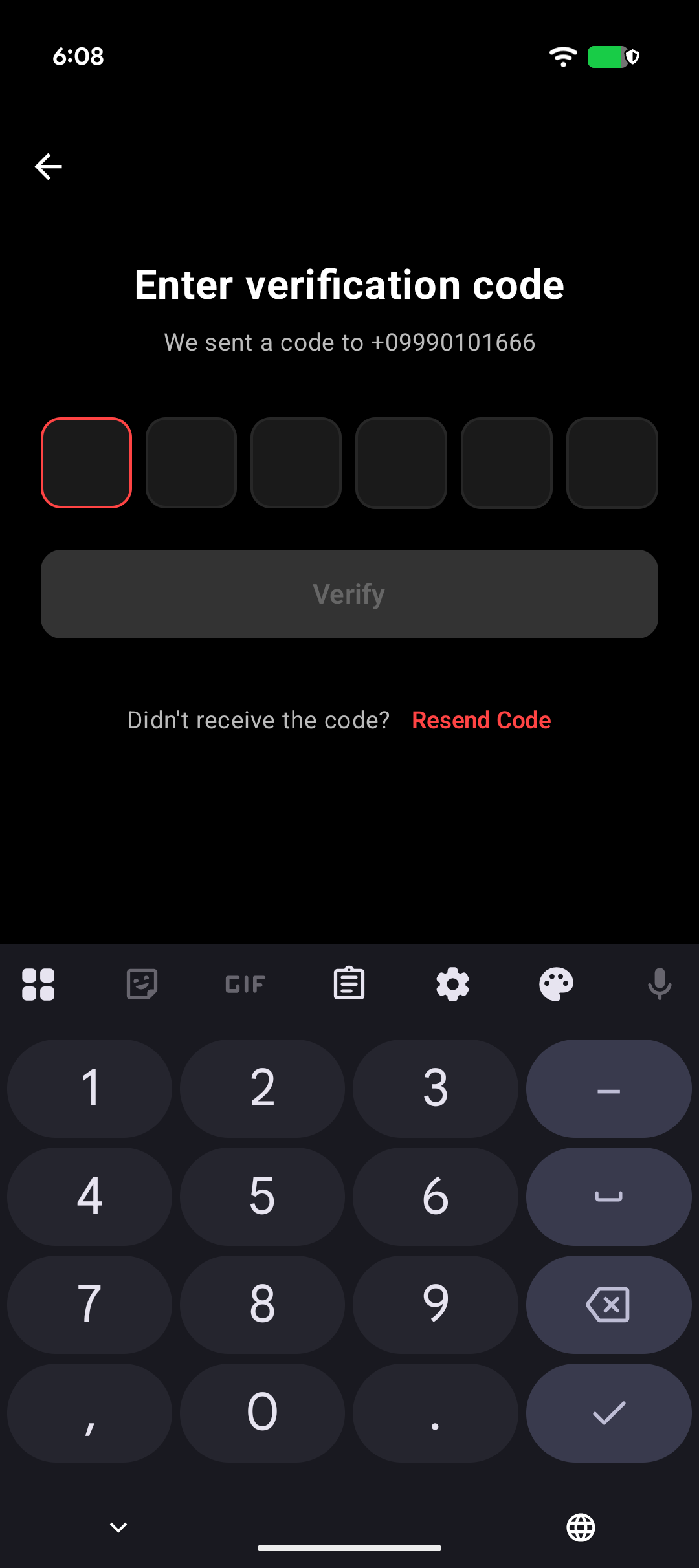
Step 3 — Code entry & authentication
A single 6-digit verification code is delivered to the user’s phone via SMS. The user enters it on the “Enter verification code” screen and taps Verify to complete authentication. A Resend Code option is available; each resend is one additional user-initiated SMS. No persistent SMS subscription is created.
Mobile information & consent data — non-sharing
No mobile information — including phone numbers, opt-in data, and consent — is shared with any third parties or affiliates for marketing or promotional purposes. All other personal-data categories described in our Privacy Policy exclude text messaging originator opt-in data and consent; that information is never shared with any third parties.
Phone numbers used for SMS verification are transmitted only to Twilio Inc., acting solely as a processor under a data processing agreement to deliver the verification code. Twilio is contractually prohibited from secondary use of this data.
Operator & registered brand
The Payfair mobile apps and the SMS messaging program documented on this page are operated by SSD Technologies LLC, a U.S. limited liability company and the registered A2P 10DLC Brand for this messaging campaign. “Payfair” is the product/brand name used in all user-facing copy, in-app UI, and SMS message content.
References
- Terms of Service — Section 5 (SMS Messaging Program)
- Privacy Policy — SMS Messaging Program section
- Questions: hi@payfair.cash